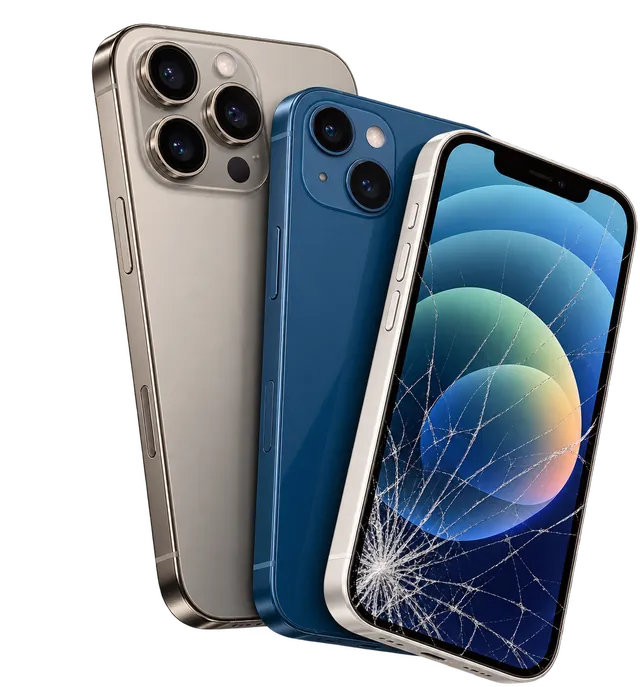
Back glass
Cracked rear glass won't stop the phone working, but sharp edges cut and dust gets in around the cameras. Put a case on it until it's fixed.
£45 to £75Cracked screen, poor battery life, charging problems or another iPhone fault? Bring it to Tech Fix and Trade, 68 High Street, Ruislip, and we'll find the fault for free.
Tech Fix and Trade is an independent repair shop at 68 High Street, Ruislip. We repair every iPhone from the iPhone 8 to the iPhone 17, including screens, batteries, charging ports, cameras, back glass, speakers, Face ID, liquid damage and phones that won't turn on. Pick your series to see the price for your model.
| Model | Standard screen | Premium OLED | Battery | Charging port | Back glass | Rear camera | Model page |
|---|---|---|---|---|---|---|---|
| iPhone 16 Pro Max | £99 | £189 | £85genuine · standard £65 | £99 | £75 | £89 | All iPhone 16 Pro Max repairs → |
| iPhone 16 Pro | £79 | £159 | £85genuine · standard £65 | £99 | £75 | £89 | All iPhone 16 Pro repairs → |
| iPhone 16 Plus | £79 | £129 | £80genuine · standard £60 | £95 | £75 | £85 | All iPhone 16 Plus repairs → |
| iPhone 16 | £79 | £129 | £80genuine · standard £60 | £95 | £75 | £85 | All iPhone 16 repairs → |
| Model | Standard screen | Premium OLED | Battery | Charging port | Back glass | Rear camera | Model page |
|---|---|---|---|---|---|---|---|
| iPhone 15 Pro Max | £79 | £169 | £85genuine · standard £65 | £99 | £65 | £89 | All iPhone 15 Pro Max repairs → |
| iPhone 15 Pro | £69 | £129 | £85genuine · standard £65 | £99 | £65 | £89 | All iPhone 15 Pro repairs → |
| iPhone 15 Plus | £59 | £109 | £80genuine · standard £60 | £95 | £65 | £85 | All iPhone 15 Plus repairs → |
| iPhone 15 | £59 | £109 | £80genuine · standard £60 | £95 | £65 | £85 | All iPhone 15 repairs → |
| Model | Standard screen | Premium OLED | Battery | Charging port | Back glass | Rear camera | Model page |
|---|---|---|---|---|---|---|---|
| iPhone 14 Pro Max | £75 | £119 | £75genuine · standard £55 | £95 | £65 | £85 | All iPhone 14 Pro Max repairs → |
| iPhone 14 Pro | £65 | £119 | £75genuine · standard £55 | £95 | £65 | £85 | All iPhone 14 Pro repairs → |
| iPhone 14 Plus | £55 | £99 | £70genuine · standard £50 | £90 | £65 | £80 | All iPhone 14 Plus repairs → |
| iPhone 14 | £55 | £99 | £70genuine · standard £50 | £90 | £65 | £80 | All iPhone 14 repairs → |
| Model | Standard screen | Premium OLED | Battery | Charging port | Back glass | Rear camera | Model page |
|---|---|---|---|---|---|---|---|
| iPhone 13 Pro Max | £69 | £95 | £70genuine · standard £50 | £95 | £65 | £80 | All iPhone 13 Pro Max repairs → |
| iPhone 13 Pro | £65 | £95 | £70genuine · standard £50 | £95 | £65 | £80 | All iPhone 13 Pro repairs → |
| iPhone 13 | £55 | £89 | £65genuine · standard £45 | £90 | £65 | £75 | All iPhone 13 repairs → |
| iPhone 13 mini | £55 | £79 | £60genuine · standard £40 | £85 | £65 | £70 | All iPhone 13 mini repairs → |
| Model | Standard screen | Premium OLED | Battery | Charging port | Back glass | Rear camera | Model page |
|---|---|---|---|---|---|---|---|
| iPhone 12 Pro Max | £59 | £89 | £65genuine · standard £45 | £90 | £55 | £75 | All iPhone 12 Pro Max repairs → |
| iPhone 12 Pro | £55 | £85 | £65genuine · standard £45 | £90 | £55 | £75 | All iPhone 12 Pro repairs → |
| iPhone 12 | £49 | £79 | £60genuine · standard £40 | £85 | £55 | £70 | All iPhone 12 repairs → |
| iPhone 12 mini | £45 | £69 | £55genuine · standard £35 | £80 | £55 | £65 | All iPhone 12 mini repairs → |
| Model | Standard screen | Premium OLED | Battery | Charging port | Back glass | Rear camera | Model page |
|---|---|---|---|---|---|---|---|
| iPhone 11 Pro Max | £49 | £79 | £60genuine · standard £40 | £85 | £45 | £70 | All iPhone 11 Pro Max repairs → |
| iPhone 11 Pro | £45 | £75 | £60genuine · standard £40 | £85 | £45 | £70 | All iPhone 11 Pro repairs → |
| iPhone 11 | £39 | £59enhanced LCD | £55genuine · standard £35 | £80 | £45 | £65 | All iPhone 11 repairs → |
Got an iPhone 17, 16e, SE, XR, XS, X or 8? We repair those too. Message us your model for a price.
Tap the symptom closest to yours. You'll see what usually causes it, something to try at home, and what we check in the shop.
Screen
Yes, by fitting a new screen assembly, because the glass and the display are bonded together. A crack that still shows a picture can spread, and it lets dust and moisture in.
Cover sharp edges with clear tape and back up to iCloud while the screen still works.
We check touch and Face ID first, then fit a standard or premium OLED screen, whichever you choose.
Screen
This can sometimes be caused by a damaged OLED panel after a drop or pressure in a pocket, a loose display connector, or less often a frozen iPhone.
Force restart: press volume up, then volume down, then hold the side button until the Apple logo appears.
An inspection confirms whether it's the screen, its connector or the logic board.
Screen
This can be caused by a cracked protector, a frozen app, damage to the touch layer, or a low quality screen fitted in an earlier repair.
Take off the case and protector, then force restart.
We test every part of the display with a touch grid before quoting.
Battery
Not always. A background app, a weak signal or high brightness can drain an iPhone as much as a worn battery can.
Settings › Battery shows which apps use the most. Check Settings › Battery › Battery Health too.
We check battery health and how fast it drains before recommending a new battery.
Battery
iOS shows a service recommendation when the battery's capacity has dropped a long way, or when it can't read the battery's health at all.
Note your Maximum Capacity and whether the phone shuts down by itself.
We fit a genuine battery, or a standard one if you'd rather pay less. See what each shows in Settings below.
Charging
This can be the cable or plug, lint in the port, a damaged port or connector, a deeply flat battery, or a power fault on the board.
Leave it on a charger you know works for 30 minutes, then force restart.
We clean and test the port first, then check the battery and the charging circuit.
Charging
Often not. Packed lint, a loose fit and damaged cables cause most problems. A worn or damaged port is the next most likely cause.
Try another cable and shine a torch into the port to look for lint.
A careful clean first. The port is only replaced if it's worn or damaged.
Body
Yes. We replace the cracked rear glass, from £45 to £75 depending on the model. It won't stop the phone working, but the edges are sharp.
Keep it in a case or cover it with tape so no shards come loose.
We replace the glass and check the camera lenses while it's open.
Camera
Usually the image stabiliser inside the camera has been damaged, often by a drop or by strong vibration such as a motorbike phone mount. A cracked lens cover can blur photos too.
Clean the lens and try each camera, 0.5x, 1x and zoom, to see which one shakes.
We test each camera and replace the faulty module.
Camera
Yes. The glass cover over the camera can often be replaced on its own if the camera underneath still works.
Take a photo of a bright light at night. Haze or flare points to the lens cover.
We replace the lens cover, or the camera if that's damaged too.
Body
Sometimes. Face ID can stop working after a drop, liquid damage, or an earlier repair that disturbed the parts around the earpiece.
Restart, clean the top of the screen, and check Settings › Face ID & Passcode.
Some Face ID faults can be repaired, but it isn't a same day job. We check it and confirm before any work.
Sound
Often dirt in the grilles or a case covering a microphone. Otherwise it's a faulty earpiece, loudspeaker or microphone.
Remove the case, brush the grilles gently with a soft dry brush, and record a voice memo.
We test the earpiece, loudspeaker and every microphone, then replace the faulty part.
Power
This can be caused by an update that didn't finish, storage that's almost full, or a hardware fault such as a failing battery or a board problem.
Force restart. If it stays stuck, connect it to a computer, put it in recovery mode and choose Update, not Restore, which keeps your data.
We work out whether it's software or hardware, and tell you upfront if your data is at risk.
Power
Often, if it's dealt with quickly. Liquid causes corrosion on the board, and it gets worse over days.
Switch it off, don't charge it, and skip the rice. It doesn't dry the inside.
We open it, clean the board and test it. From £39 after a free check.
Power
The usual reasons are a completely flat or worn battery, a charging problem, or a screen that has failed while the iPhone is still running. Less often it's the logic board.
Charge for 30 minutes, force restart, then call it from another phone to see if it rings.
Free diagnosis. We carry out board level repairs in the shop.
Other
Tell us what it's doing and when it started, and we'll explain the likely causes.
Note any message on the screen and what happened just before.
Free diagnosis, including buttons, vibration, signal, SIM and software faults.
iPhone screen repair
Between £39 and £189, depending on the model and the screen you choose. A standard screen runs from £39 on the iPhone 11 to £99 on the 16 Pro Max. A premium OLED runs from £69 on the 12 mini to £189 on the 16 Pro Max. Your model's exact price is in the finder above.
Book a screen repair if you see any of these:
Yes. Your photos, messages and apps are stored on the iPhone's internal memory, not in the screen, so a screen replacement doesn't touch them. Back up to iCloud first anyway if the phone still works, as you should before any repair.
What True Tone does
True Tone shifts the white of your screen to match the light around you, so it's easier on the eyes in the evening. We transfer it when we fit a premium OLED screen. Standard screens don't support it.
Lowest price
An LCD panel with the touch layer built in, sometimes called Incell. A sensible fix for an older iPhone or one you plan to sell.
Closest to the original
The same type of display your iPhone left the factory with, so blacks stay deep and colours look right.
On request
Available for many models, but prices and stock change often. Call us first and we'll confirm both before you come in.
The iPhone 11 has an LCD screen from the factory, so its upgrade is an enhanced LCD (£59) rather than OLED. Tech Fix and Trade is an independent repairer and isn't part of Apple's own repair network.
iPhone battery replacement
When it's getting in the way of using your phone, not just because a number has dropped. Apple designs iPhone batteries to keep up to 80% of their original capacity after 500 full charge cycles on the iPhone 14 and earlier, and after 1,000 cycles on the iPhone 15 and later. Below that, iOS may show a service recommendation in Battery Health. Plenty of people carry on happily past it, though.
It's worth replacing if you notice:
Often an app or setting rather than the battery itself. Open Settings › Battery and see which app is using the most. A weak signal, a recent iOS update finishing in the background, or high screen brightness can all drain it faster. If none of those explain it and Battery Health is low, the battery is the likely cause.
What your iPhone shows after a battery swap
With a genuine battery, Battery Health shows a percentage as normal.
Genuine batteries cost £55 to £85 depending on the model. A standard battery is £20 less. Both prices for your model are in the finder above.
Which port you have depends on your iPhone. The fault is often simpler than a new port.
iPhone 14 and earlier
iPhone 15, 16, 16e and 17
Usually the cable or plug, lint packed into the port, or a port that has worn loose. Less often it's a damaged connector, the battery, or a power fault on the board. Try a different cable and plug first, then look into the port with a torch.
Pocket lint compresses in the bottom of the port, so the cable can't push in all the way. That's very common with Lightning. We clean it safely before deciding whether the port itself needs replacing.
A low power plug, a damaged cable, or a dirty port that only makes partial contact. A plug or cable that doesn't support fast charging will also be noticeably slower. If charging stops and starts on its own, bring it in for a check.
Charging port repair costs from £80 to £99 depending on the model. We clean and test the port first, and we only replace it if it needs replacing.
What to look out for, and what to do next.
Cracked rear glass won't stop the phone working, but sharp edges cut and dust gets in around the cameras. Put a case on it until it's fixed.
£45 to £75Blurry or black photos, or a picture that shakes or buzzes. Strong vibration, such as a motorbike phone mount, can damage the stabiliser.
£65 to £89A cracked lens cover makes photos hazy or causes flare at night. The glass can often be replaced without touching the camera.
Priced after a lookCallers can't hear you, or sound crackles. Remove the case and clean the grilles first, then test with a voice memo.
£45 to £59A power or volume button that's stuck, loose or no longer clicks. Usually a worn flex cable inside, which we can replace.
Priced by modelFace ID stops working after a drop, or the phone says it can't activate. Some faults can be repaired, but it isn't a same day job. We'll confirm after a check.
Quote after inspectionSwitch it off and don't charge it. Rice doesn't help. The sooner we clean the board, the better the chance of saving it and your data.
From £39 after a free checkNo logo even on charge, or stuck in a boot loop. It could be the battery, the charging circuit or the logic board. We do board level repairs in the shop.
Free diagnosisPick your iPhone and the fault. You'll see what the repair costs and what we pay for that model, so you can decide with real numbers.
If the rest of your iPhone is in good condition, a repair usually makes sense before replacing it.
Trade in prices are for working phones in good condition. Faults and wear reduce the offer, and we'll confirm the exact figure when we see the phone.
Searching for iPhone repair near me? If you're in or around Ruislip, this is what happens from the moment you walk in at 68 High Street.
Straight answers to what iPhone owners ask us most.
Usually, yes. An iPhone screen costs between £39 and £189 here depending on the model, which is far less than a new phone, and you keep your setup and data. If the phone also has a worn battery or other damage, compare the total with its trade in value using the tool above.
Yes, if you choose a premium OLED screen. We transfer True Tone when we fit OLED screens. Standard screens don't support it, so the True Tone option won't be available on the phone.
It should. Face ID isn't part of the screen itself, so a careful screen repair shouldn't affect it. We test Face ID on every iPhone after a screen repair, before you collect it. If it had already stopped working, we'll tell you at the inspection.
It means iOS couldn't confirm the part was made by Apple. A non Apple battery triggers an Important Battery Message and Battery Health may stop showing a percentage. A non Apple screen can show an Important Display Message. The parts still work normally, and you can see the details under Settings › General › About › Parts and Service History. With the genuine batteries we fit, you won't see the battery message. Our standard battery is £20 cheaper and works normally, but it will show it.
If the rest of the iPhone is in good shape, a repair is usually the cheaper route. If it has several faults, or you were planning to upgrade anyway, selling it to us may make more sense. We buy working and broken iPhones.
Yes. We repair every iPhone from the iPhone 8 to the iPhone 17, including the SE and the 16e. Models without their own page here are priced on request, so send us the model on WhatsApp.
Not guaranteed. Every iPhone repair means opening the phone and breaking its factory seal, so we advise treating a repaired iPhone as splash resistant only and keeping it away from water.
Many screen and battery repairs are done within the hour, and the free inspection usually takes 30 to 60 minutes. Face ID, liquid damage and board repairs take longer, and we'll give you a time when we quote.
We fit standard and premium OLED screens, and genuine Apple screens on request. Call us first for genuine parts so we can confirm the price and stock. We're an independent repairer and not part of Apple's repair network.
If your iPhone is still covered by Apple's warranty or AppleCare, check with Apple first, as they may repair it for less. Apple's warranty doesn't cover damage caused by repairs from other providers, so for an out of warranty iPhone that usually doesn't matter.
Checked by Furqan, technician at Tech Fix and Trade, 68 High Street, Ruislip. Prices last checked October 2026.
Tell us the model and what it's doing. We'll come back with a price and how long it takes.
Real reviews, direct from Google